

Master Microsoft Project from planning to control
Learn to build professional schedules, manage resources, find the critical path and track results with confidence, in hands-on training applied to real projects.
How many PDUs this course earns
- In person: 14 hours = 14 PDUs
- Live remote: 8 hours = 8 PDUs
Under PMI rules, each hour of training is worth 1 PDU, in the Ways of Working category. For in-company classes, the contracted hours apply.
To report them, use the GEPROQ certificate with the course hours in PMI's PDU system (CCRS), under Education → Course or Training. The PMP requires 60 PDUs every 3 years.
Secure your seat in the next class
Check the terms and get instructions to enroll.
Secure my seatPrefer to talk? Chat with a specialist on WhatsApp.
- 120-page practical guide
- 100% applied to real projects
- Project management specialists
- GEPROQ certificate stating the workload
Who it is for
- Engineers and technical areas
- Project managers
- Anyone who reports schedules
- Administrative professionals
- Students
- Anyone looking to grow their career
Formats
- In person14h · 2 sessions of 7h in Belo Horizonte
- Live remote8h · 4 sessions of 2h, from anywhere in Brazil
- In-companyPrivate class, in person or remote, anywhere in Brazil
By the end of the course, you will be able to
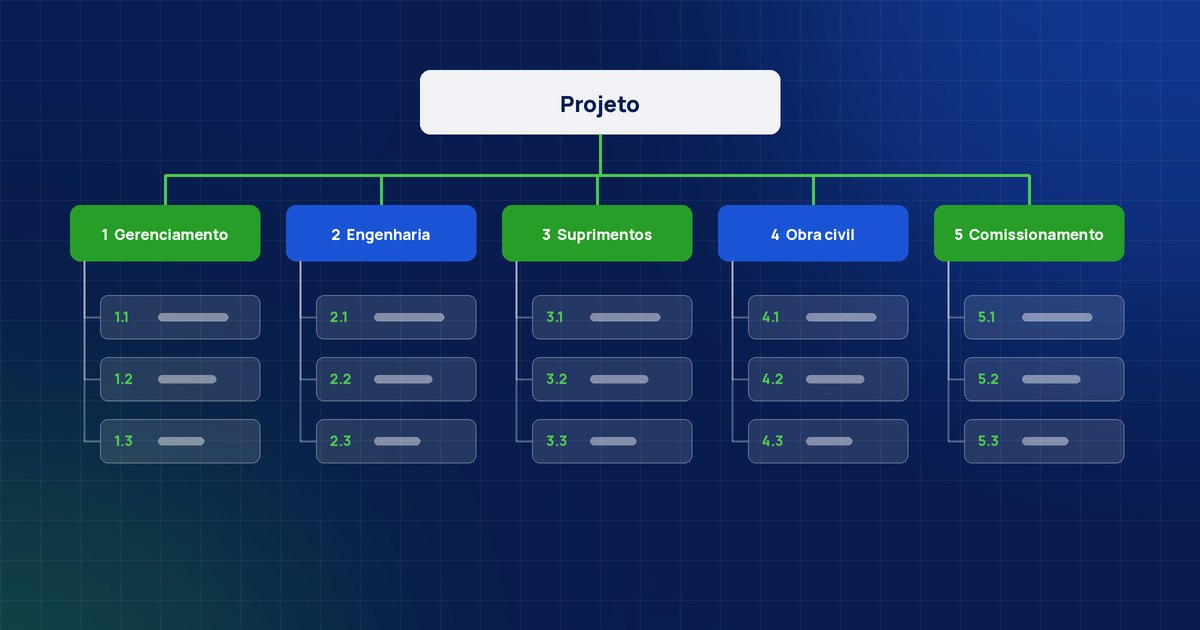
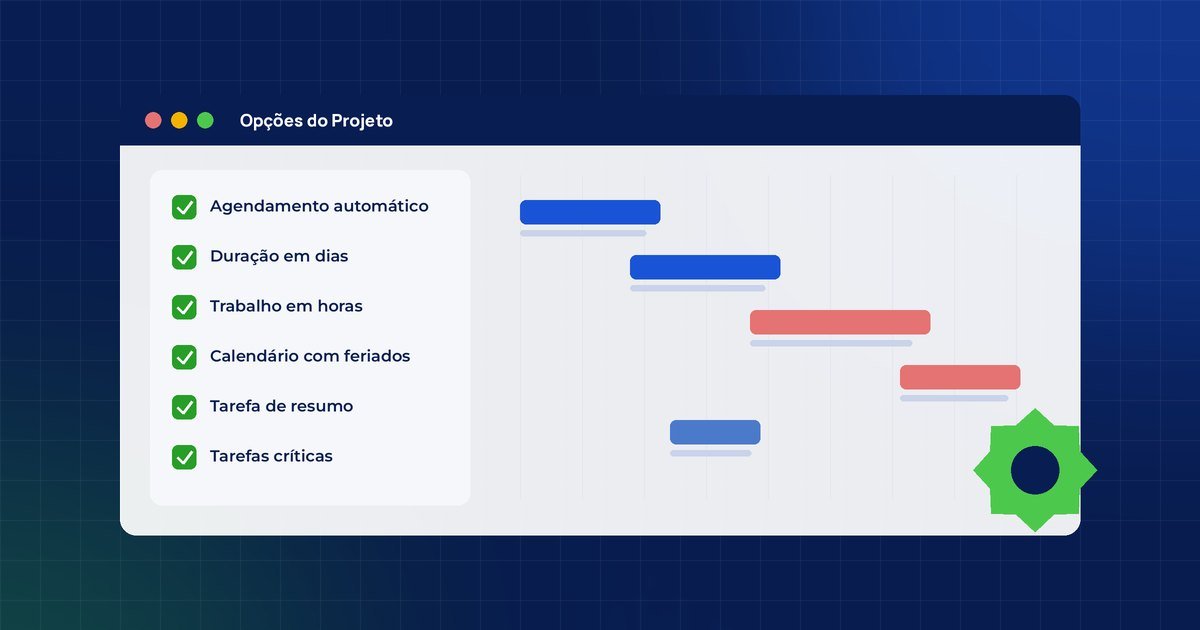
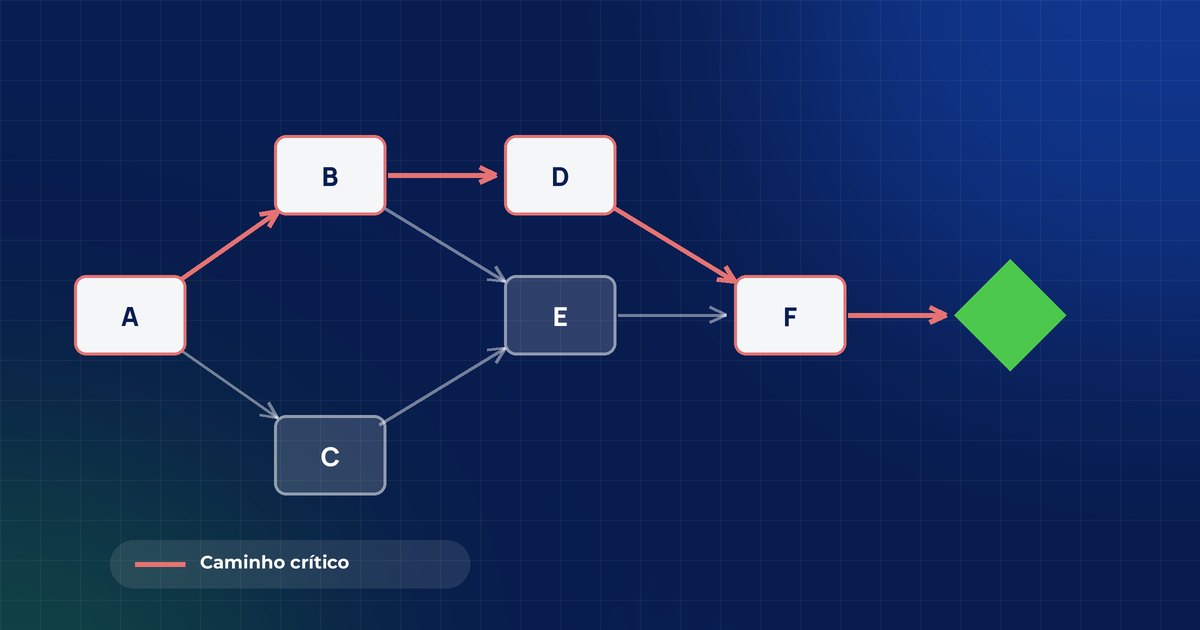
Structure the WBS, define dependencies and find the critical path, with dates calculated from the project logic.
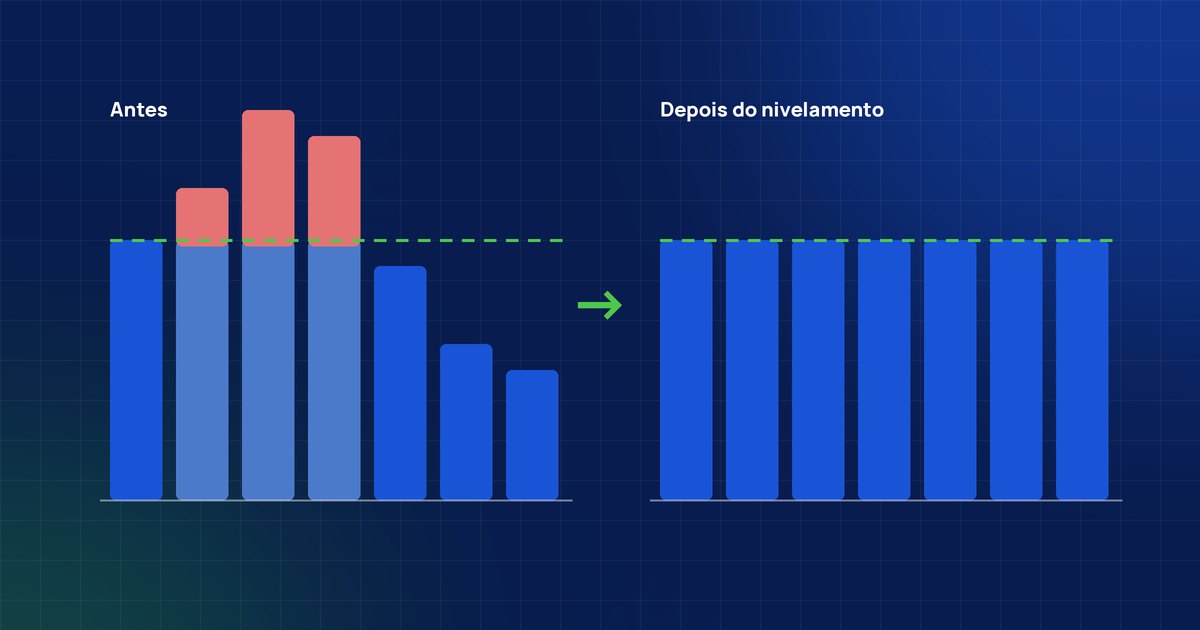
Allocate and level resources to see conflicts before they turn into delays.
Compare planned and actual, identify variances and replan without losing control.
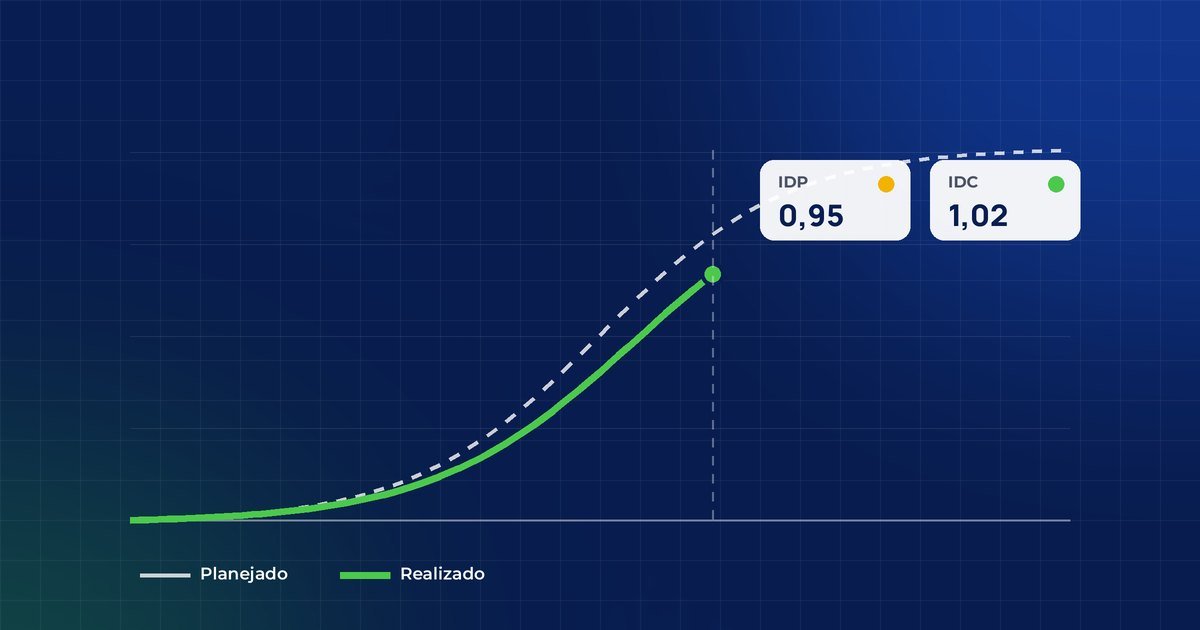
Use S-curves, physical-financial control and earned value indicators (SPI and CPI) to report clearly.
Integrate the schedule with Planner Premium to track day-to-day tasks.
Use Copilot to support decisions and automate repetitive tasks in the schedule.
Want to know if the course fits your goals?
Talk to our consultantsFrom scope to control, in the same file
You build the project step by step, just as you would at work.
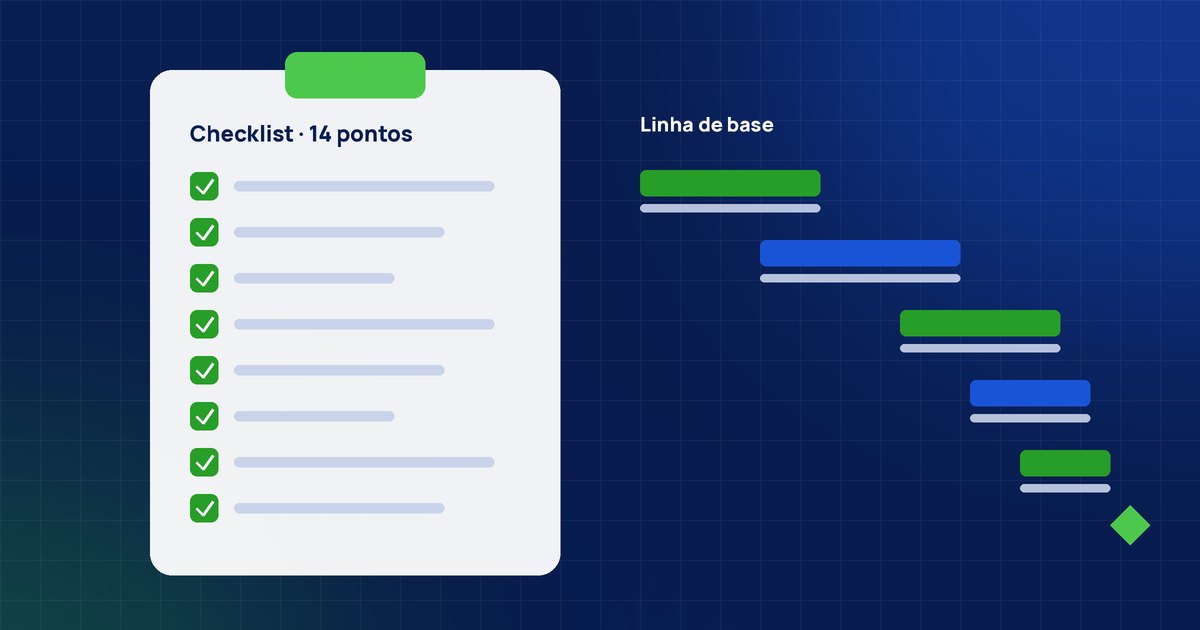
7 modules of 100% hands-on content
A progressive path: each module delivers a skill you will apply on your next project. The content is the same in person and online.
01Fundamentals of professional planningThe role of planning and the most common mistakesFoundation
- The role of planning in organizational performance
- The most common mistakes when using MS Project
- Essential project management vocabulary
- How this course will change your routine
02Introduction to Microsoft Project and WBSThe tool environment and building the WBSPlanning
- MS Project environment and navigation
- The WBS concept (Work Breakdown Structure)
- Breaking scope down into work packages
- Hands-on construction of your first WBS in Project
03Logical sequencing: PERT networkDependencies and critical pathPlanning
- Dependencies and precedence types
- Building the PERT network
- Identifying the critical path
- Analyzing the impact of delays and float
04Resource and cost managementAllocation, leveling and budgetControl
- Resource allocation and calendars
- Identifying overallocation
- Resource leveling in MS Project
- Project budget and costs
05Tracking executionBaseline, progress and replanningControl
- Baseline
- Updating actual progress (% physical complete and actual dates)
- Planned vs. actual comparison
- Replanning without losing control
06Copilot applied to ProjectAI as a decision-support agentInnovation
- Copilot as a decision-support agent
- Automatic schedule adjustment suggestions
- Automating repetitive tasks
- Limits and responsible use of AI in projects
07Physical-financial monitoring and controlProgress curves and performance indicatorsGovernance
- Physical progress S-curve: planned vs. actual
- Physical-financial curve and disbursement schedule
- Schedule and cost indicators (earned value: SPI and CPI)
- Tracking reports and post-course action plan
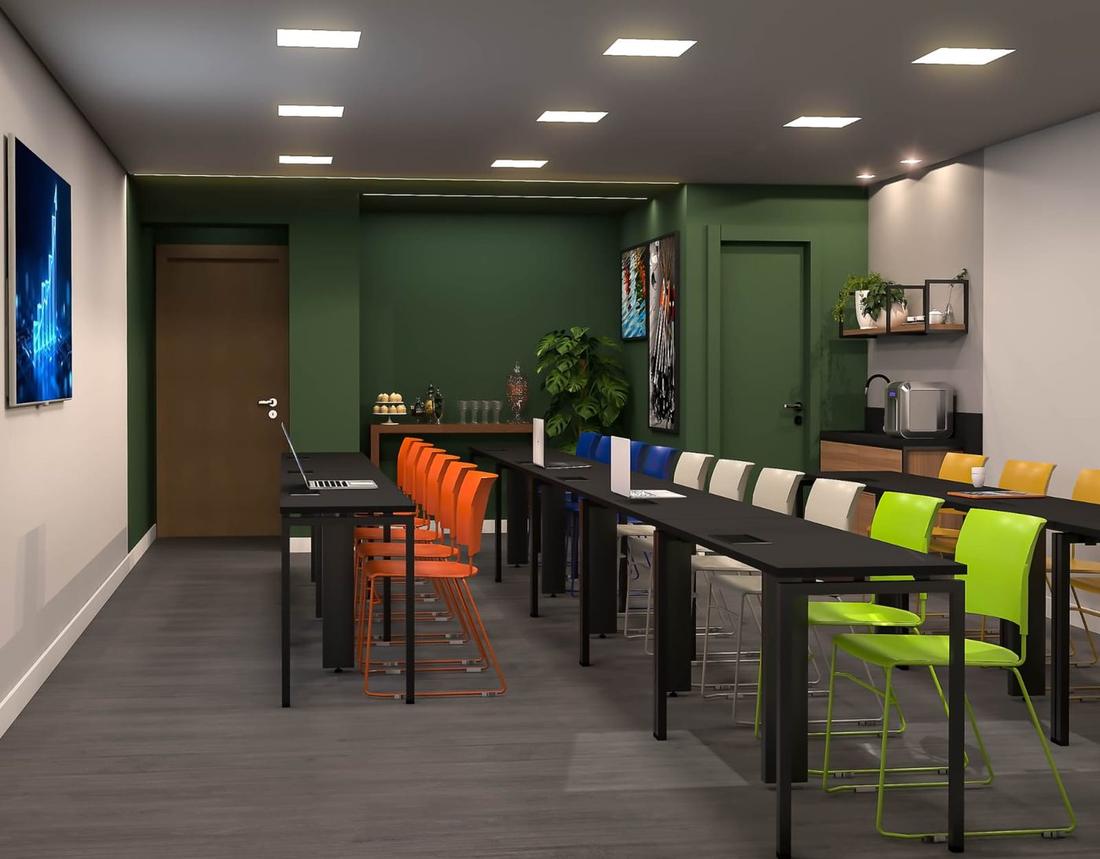
A space designed for hands-on learning
Classes of up to 20 people with individual workstations: each participant builds their files from scratch in class, with the instructor alongside, and questions and cases brought by the group are solved on the spot. Live remote and in-company classes are also available anywhere in Brazil.
- Air-conditioned room
- Individual workstations
- Good connectivity
- Complete course material
- GEPROQ certificate
Av. Raja Gabáglia, 2000, Tower 1, Room 614, Estoril, Belo Horizonte – MG, 30494-170, Brazil
Train the whole team, with content tailored to your reality
This course is also offered in-company: a closed class for your company's professionals, in person (at your office or in our room in Belo Horizonte) or remote, live, with dates and pace agreed with you.
Request a proposal for my companyExamples and exercises built on your company's real projects.
At your office, in our room in Belo Horizonte or remote, live.
Schedule defined with you, respecting the team's calendar.
Volume pricing and corporate invoicing, with invoice and contract.
Leadership receives feedback on the group's performance and engagement.
A single point of contact, from the first alignment to post-course.
Questions about the course
Didn't find your answer? Talk to our team on WhatsApp.
Talk to our teamHow much does the course cost?
Conditions vary by format and number of participants. Fill in the form or chat on WhatsApp to receive the conditions for the next class.
What are the course formats?
In person, with classes in Belo Horizonte; live remote on Microsoft Teams from anywhere in Brazil; or in-company, a private class for your organization, in person or remote, anywhere in Brazil. The content is the same in every format.
What is the workload?
In person: 14 hours, in 2 sessions of 7h. Live remote: 8 hours, in 4 sessions of 2h. Online, some templates are provided before class to save setup time; in person, each participant builds their files from scratch in class.
How many people are in each class?
Classes have up to 20 people, to ensure individual attention from the instructor at every step.
Does the course include a certificate?
Yes. You receive a GEPROQ certificate of completion stating the workload, plus the complete course material.
Does the course cover physical-financial control?
Yes. Module 7 covers the physical progress S-curve, the physical-financial curve, the disbursement schedule and earned value indicators (SPI and CPI).
Do I get support after the course?
Yes. The GEPROQ team supports you on WhatsApp before, during and after the course.
Can my company book an exclusive class?
Yes. This course can be booked in-company, in person or remote, with content tailored to your industry, flexible dates and corporate invoicing with invoice and contract.
Save your seat or bring the course to your company
Choose your path: individual registration, an in-company proposal, a WhatsApp chat or a meeting with our team.